Best Wireless Portable Monitors in the USA for 2026: Top 7 Picks
Published on Tuesday, January 27, 2026
Wireless portable monitors bring full-size display capabilities to people who work, create, or game on the go. In the USA market, demand has grown as remote work, hybrid offices, mobile content creation, and travel-friendly gaming have become mainstream. Consumers prioritize lightweight designs, long battery life, crisp resolution, and reliable wireless connectivity such as Miracast, AirPlay, and Wi Fi Display, plus USB-C or Bluetooth fallback. These monitors appeal because they remove cable clutter, allow easy multi-screen setups with laptops, tablets, and phones, and support presentations or streaming without being tethered to a desk. For 2026, buyers are also valuing strong color accuracy, higher refresh rates for smoother motion, and compact stands or magnetic covers that double as protective cases.
Top Picks Summary
The ViewSonic VX1755 is a remarkable 17.2-inch portable monitor designed for those who crave a balance of performance and portability. With its Full HD resolution and 144Hz refresh rate, it caters to gamers and professionals who need smooth visuals and sharp images. Its lightweight and slim profile make it easy to carry, while its USB-C connection provides convenient plug-and-play functionality. The VX1755 is an exceptional choice for users who want a high-quality second screen without the bulk.

The INNOCN 15A1F stakes its position as the versatile, feature-forward option by combining portable form factor with extras such as built‑in battery support and wireless casting capabilities that the lighter, cable-first models lack. Although it typically carries a higher sticker than barebones models like Lepow or ASUS, it offers the convenience of untethered use and richer feature set that appeals to users who prioritize mobility without sacrificing functionality.

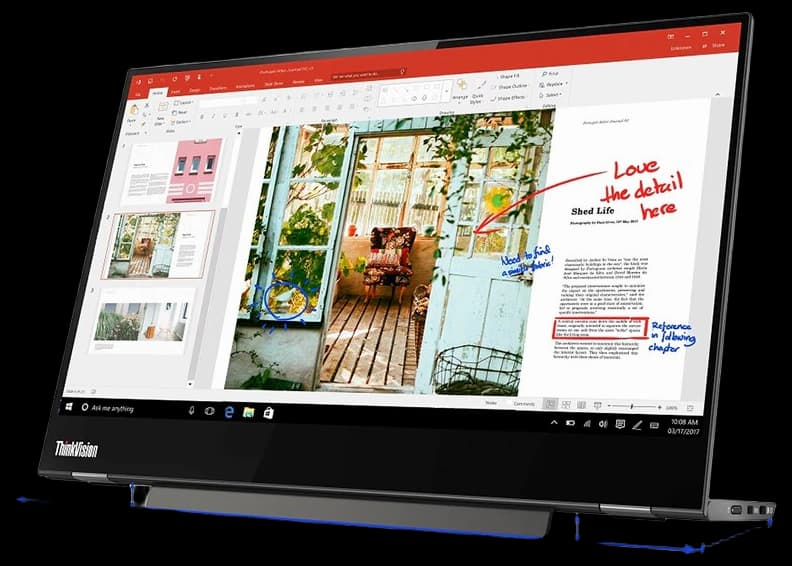
The Lenovo ThinkVision M14t stands out as best-in-class for creators and professionals who prioritize stylus responsiveness and ergonomic design in a compact touchscreen; its refined pen support and tight Windows/ThinkPad integration give it a technical advantage for note-taking and on-screen annotation. Lenovo commands a modest premium over entry-level models like Pepper Jobs, but it undercuts boutique premium panels while delivering lower pen latency and a more polished accessory ecosystem than budget alternatives.
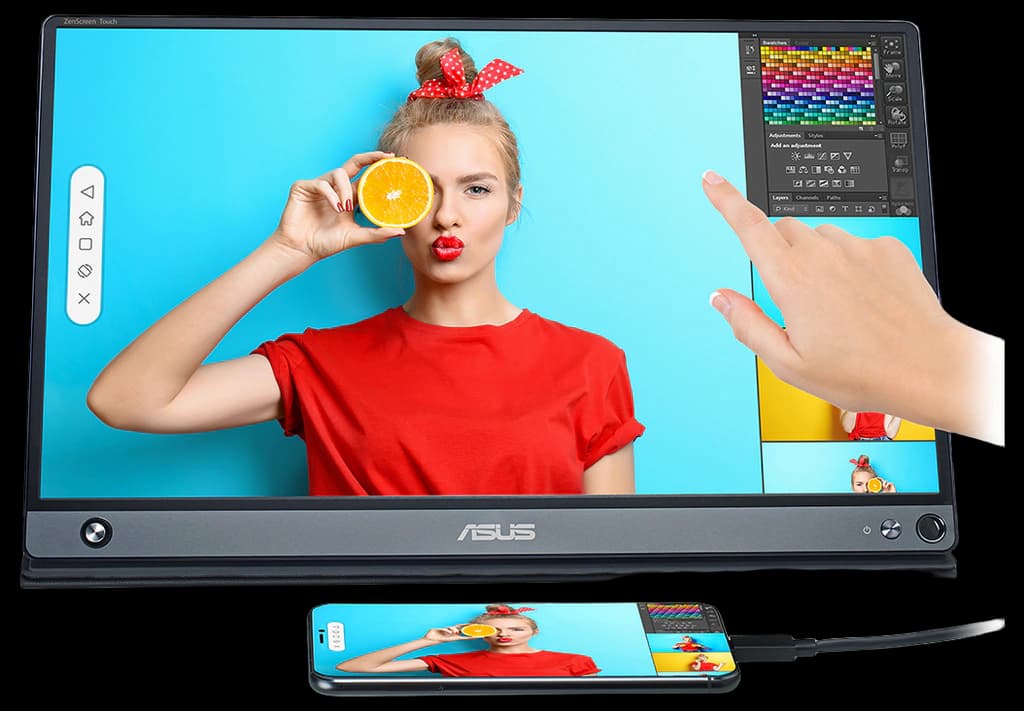
The ASUS ZenScreen Touch MB16AMT is a versatile 15.6-inch portable monitor that distinguishes itself with its multi-touch capability and battery-powered design. It offers stunning Full HD resolution, ensuring crystal clear display for work or entertainment. The sleek and lightweight design makes it easy to carry, while the smart cover allows for versatile positioning. Ideal for professionals needing a dual-screen setup on the move, the ZenScreen seamlessly connects via USB-C or USB-A.
The UPERFECT X Pro Wireless Portable Monitor 15.6 positions itself as a feature-rich mid-to-high-tier option with dual-band wireless support, strong color reproduction and pro-oriented extras (higher refresh/brightness and touch options) at a competitive price. Against the ultra-premium 4K or ASUS flagship models it often undercuts on cost while matching practical technical features that matter for designers and streamers, making it a cost-effective alternative. Its balance of performance and price makes it a smart middle ground for power users who don’t need a studio budget.

The ZSCMALLS 4K Wireless Portable Monitor features a unique wireless connectivity option, eliminating the need for cables and enhancing mobility for users. With impressive 4K resolution and a lightweight design, it is ideal for presentations, gaming, and multimedia consumption. The built-in battery offers portability without sacrificing performance, making it a standout choice in the portable monitor landscape. Its sleek and modern aesthetic also ensures it looks great alongside any setup.

The Samsung Odyssey Neo G9 is a groundbreaking gaming monitor that features a stunning 49-inch curved display with Quantum Mini LED technology, delivering exceptional contrast and vivid colors. It offers a remarkable refresh rate of 240Hz and a 1ms response time, ensuring ultra-smooth gameplay. With its immersive ultra-wide aspect ratio, it provides gamers with an unparalleled field of view, creating an edge in competitive play. The monitor's sleek design and advanced features set it apart as a leader in the gaming monitor market.
![Samsung 49" Odyssey G9 Gaming Monitor 240Hz Dual QHD Freesync Premium pro Curved Screen - (LS49CG952ENXZA) [USA Version]](https://m.media-amazon.com/images/I/41uFdbyaFkL._SL500_.jpg)
What Research Says About Portable and Multi Screen Displays
Human computer interaction and ergonomics research consistently show that adding a second screen or using a larger external display can improve productivity and comfort for many tasks. Studies in workplace computing and usability have found benefits such as reduced task switching, faster completion of multi window workflows, and fewer errors for information dense tasks. Ergonomics research also highlights that properly positioned external displays can reduce neck and shoulder strain compared with looking down at small screens for extended periods. At the same time, technical research shows trade offs: wireless connections add potential latency and compression that can affect gaming or color critical work, while battery powered displays require balancing brightness and runtime.
Productivity boost: Multiple displays often reduce time spent switching between windows and can increase efficiency on document editing, spreadsheets, and creative workflows.
Ergonomics: External monitors placed at eye level help improve posture and reduce neck strain compared with prolonged laptop use.
Connectivity trade offs: Wireless links are convenient but can introduce latency and image compression; wired USB C or HDMI still gives the best performance for competitive gaming and color calibrated work.
Battery and brightness: Mobile displays must balance battery life against brightness and resolution; look for real world battery tests rather than only manufacturer claims.
Color accuracy: For photographers and designers, look for factory calibration, wider color gamut coverage, and support for external color calibration tools.
Frequently Asked Questions
Which wireless portable monitor is best for note-taking?
Lenovo ThinkVision M14t fits note-taking best because it offers a 14" Full HD touchscreen tuned for pen input with 10-point touch interaction and active pen support, with a 4.5 average rating.
Does the ASUS ZenScreen 16ACV support USB-C charging?
Yes—ASUS ZenScreen 16ACV includes USB-C connectivity, and it’s listed at $189.96 with a 4.6 average rating.
How does ViewSonic VX1755 price compare to ASUS ZenScreen?
ViewSonic VX1755 costs $199.99, while ASUS ZenScreen 16ACV costs $189.96; you’re paying $10.03 more for the VX1755’s 17.0-inch Full HD display and 144Hz refresh rate.
What connections does ViewSonic VX1755 include?
ViewSonic VX1755 includes dual HDMI ports for easy connections, along with a 17.0-inch Full HD display, and it has a 4.4 average rating.
Conclusion
Wireless portable monitors are a versatile solution for remote work, travel, and on the go creativity in the USA. The top 7 picks for 2026 reflect improvements in battery life, wireless reliability, and display quality to fit different use cases. We hope you found the overview and guidance helpful. If you want to narrow by price, size, or use case, or expand to wired travel monitors and accessories, use the site search to refine your results.